
Quality & Certification Guides / Decision Guide
How to Request Smart Lock Certificates by Model
A certificate is useful only when its model scope and target-market relevance are clear. Ask for documents with enough detail to verify what they actually cover.
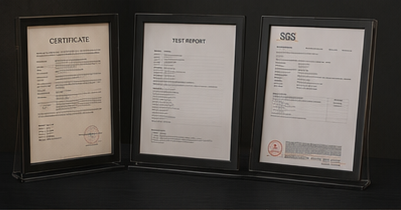
Exact product name, model and configuration or model suffix
Target country, sales channel and buyer compliance question
Requested certificate, declaration or full test report type
Applicant, manufacturer, laboratory and report number
Decision Context
What This Guide Helps You Confirm
Certificates, test reports, declarations and lab records are different document types. The name on a sales sheet is not a substitute for reviewing the actual document and its model list.
Begin with the target market and selected configuration. Wireless modules, power supply, app hardware or model suffixes can change which evidence is relevant.
The image slot is reserved for product structure, door condition, material, installation, OEM or quality evidence related to this guide.
Supporting Evidence
Connect the Written Checklist to the Real Product or Door
Use the selected model, representative door and available documents together. Avoid treating a generic image, one feature name or one test value as a complete purchasing decision.
- Keep the candidate model and configuration visible.
- Use labeled photos or drawings instead of loose descriptions.
- Record uncertain items for confirmation before quotation.
- Retain the approved evidence for sample and production review.
Decision Table
Document Request Template
Use the table to compare options on the same physical, operational and evidence basis.
| Request item | What to specify | What to verify | Why it matters |
|---|---|---|---|
| CE-related evidence | Selected model and EU requirement. | Standards, declaration/report scope and model list. | CE is a framework, not one universal certificate. |
| FCC evidence | Wireless configuration and US market. | FCC ID or report relationship to the device/module. | Wireless variants can differ. |
| RoHS evidence | Product/material scope required. | Report/declaration, date and covered model. | Material compliance evidence must match scope. |
| Other reports | IP, salt spray, life test or buyer standard. | Test method, sample model and result. | Marketing terms may not show test conditions. |
Buyer Process
Verify Documents Before Relying on Them
Move from site or project evidence to a documented model and supply decision.
Avoid requesting a generic certificate pack before model direction is known.
Name the country, customer or tender requirement.
Ask for certificate, declaration, report or available evidence by model.
Review model list, applicant, standards, dates and report references.
Keep the documents tied to the final order configuration and labels.
Evidence Boundaries
What This Guide Should Not Be Used to Assume
These cautions keep material, technology, installation and report language tied to the selected model and real site.
Check exact names and model families.
Request readable complete documents where appropriate.
Do not assume a manufacturer document can be reused without checking market rules.
Related Guidance
Continue With Related Product and Project Guidance
Review related guides, product information and support options to close the remaining technical and purchasing questions.
Buyer FAQ
Questions Buyers Ask Before Confirmation
Answers stay cautious where model, market, door or final configuration can change the result.
Can SivoLock provide every certificate for every model?
Availability varies by model, configuration and target market. Request the specific document after selecting a candidate SKU.
What is the difference between a certificate and a test report?
A report records testing details and results; a certificate or declaration summarizes compliance under a defined scheme and scope.
Can I verify a report number with the laboratory?
Where verification services are available, use the laboratory or certification body's official channel.
Ready to Confirm?
Request documents for the exact quoted model.
Send the target market, selected SKU and document list. SivoLock can confirm what is available and what requires further review.
Inquiry Preparation
Turn this guide into a clear supplier inquiry.
Summarize the relevant facts in your RFQ, attach supporting files, and request confirmation for the selected model.
Include application, door data, model preference, quantity, market and the exact document or evidence requested.
Door photos, measurements, drawings, sample records and artwork files reduce back-and-forth.
If the article mentions a report, certification, IP rating or test, request availability for the exact SKU.
| Decision area | Confirm before quotation | Claim boundary |
|---|---|---|
| Inquiry line | We are reviewing How to Request Smart Lock Certificates by Model; please confirm the suitable SivoLock model route. | Gives the supplier a clear, answerable request. |
| Required inputs | Door/application details, target market, quantity, sample timing and preferred functions. | Provides the technical and commercial context needed for a useful response. |
| Evidence request | Datasheet, installation guide, report availability, sample photos or approval files as relevant. | Keeps requested documents tied to the selected model. |
| Follow-up | Continue with the relevant product, material or support information after listing the open questions. | Keeps unresolved requirements visible for supplier confirmation. |
Can this guide replace a final datasheet?
No. Use it to prepare the buying conversation, then confirm selected-model values, reports and packaging details from the latest SivoLock response.
What happens when a value is not available yet?
Leave it open and mark it as configuration-dependent. Do not turn missing certification, IP, factory or test evidence into a public claim.
Send the confirmed inputs and keep any missing proof as an open request. SivoLock can respond with model-specific options, document availability and quotation questions.