
Technology Guides / Decision Guide
Smart Lock Unlock Methods Comparison
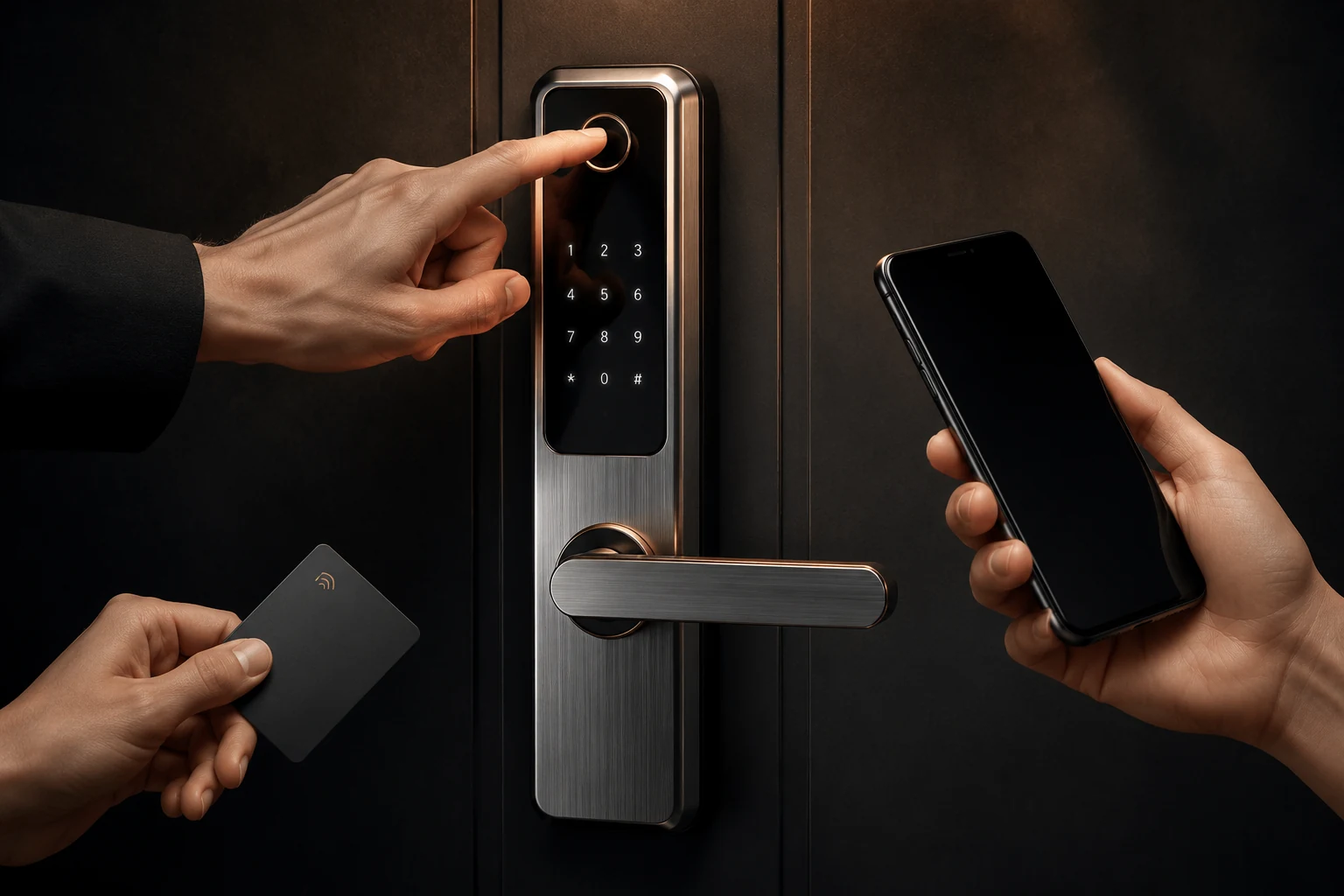
The best unlock package is the one that fits daily users and failure recovery. More access methods do not automatically create a better project.
Primary users, occasional users and administrator roles
Frequency of guest, tenant, staff or contractor changes
Need for temporary codes, access logs or remote management
Offline operation and network or gateway availability
Decision Context
What This Guide Helps You Confirm
A villa owner, rental manager, hotel operator and outdoor-gate user have different access priorities. Compare enrollment, user turnover, temporary access, offline operation and emergency recovery before selecting functions.
Function support varies by model and configuration. Use this comparison to prepare questions, then confirm user capacity, app platform, gateway, logs and backup methods on the selected SKU.
The image slot is reserved for product structure, door condition, material, installation, OEM or quality evidence related to this guide.
Supporting Evidence
Connect the Written Checklist to the Real Product or Door
Use the selected model, representative door and available documents together. Avoid treating a generic image, one feature name or one test value as a complete purchasing decision.
- Keep the candidate model and configuration visible.
- Use labeled photos or drawings instead of loose descriptions.
- Record uncertain items for confirmation before quotation.
- Retain the approved evidence for sample and production review.
Decision Table
Unlock Method Comparison
Use the table to compare options on the same physical, operational and evidence basis.
| Method | Useful for | Operational question | Model confirmation |
|---|---|---|---|
| Face recognition | Premium hands-free access and selected residential use. | Lighting, user position and privacy expectations. | Recognition type, capacity and backup methods. |
| Fingerprint | Frequent personal access with quick local enrollment. | User age, wet or dirty fingers and enrollment management. | Sensor type, capacity and fallback route. |
| PIN or card | Guests, tenants, staff and repeatable credential workflows. | Temporary access, card type and credential revocation. | Code/card capacity and app linkage. |
| App | Remote or managed access where the platform supports the workflow. | Gateway, account ownership, connectivity and data policy. | Supported platform, region and configuration. |
Buyer Process
Choose Functions by Workflow
Move from site or project evidence to a documented model and supply decision.
List owners, tenants, guests, staff, installers and administrators.
Choose the method used most often under normal conditions.
Plan how short-term users receive and lose permission.
Confirm low battery, electronics failure and account-recovery procedures.
Check capacity, app platform, gateway and supported method combination.
Evidence Boundaries
What This Guide Should Not Be Used to Assume
These cautions keep material, technology, installation and report language tied to the selected model and real site.
Confirm which methods are present together on the quoted SKU.
Do not assume Bluetooth-only locks provide internet control.
Always define PIN, key, card or emergency access appropriate to the site.
Related Guidance
Continue With Related Product and Project Guidance
Review related guides, product information and support options to close the remaining technical and purchasing questions.
Buyer FAQ
Questions Buyers Ask Before Confirmation
Answers stay cautious where model, market, door or final configuration can change the result.
Which smart lock unlock method is most reliable?
Reliability depends on the model, environment, maintenance and fallback design. A balanced package uses a practical primary method and a clear backup.
Do all app locks support remote unlock?
No. Remote behavior may depend on the app platform, gateway, account setup and selected configuration.
Is face recognition suitable for apartments?
It can be suitable for selected premium applications, but user turnover, privacy, cost and management workflow should be considered.
Ready to Confirm?
Define the workflow before choosing the feature count.
Send the user roles, access methods, app preference and backup policy. SivoLock can confirm suitable model directions and open configuration questions.
Inquiry Preparation
Turn this guide into a clear supplier inquiry.
Summarize the relevant facts in your RFQ, attach supporting files, and request confirmation for the selected model.
Include application, door data, model preference, quantity, market and the exact document or evidence requested.
Door photos, measurements, drawings, sample records and artwork files reduce back-and-forth.
If the article mentions a report, certification, IP rating or test, request availability for the exact SKU.
| Decision area | Confirm before quotation | Claim boundary |
|---|---|---|
| Inquiry line | We are reviewing Smart Lock Unlock Methods Comparison; please confirm the suitable SivoLock model route. | Gives the supplier a clear, answerable request. |
| Required inputs | Door/application details, target market, quantity, sample timing and preferred functions. | Provides the technical and commercial context needed for a useful response. |
| Evidence request | Datasheet, installation guide, report availability, sample photos or approval files as relevant. | Keeps requested documents tied to the selected model. |
| Follow-up | Continue with the relevant product, material or support information after listing the open questions. | Keeps unresolved requirements visible for supplier confirmation. |
Can this guide replace a final datasheet?
No. Use it to prepare the buying conversation, then confirm selected-model values, reports and packaging details from the latest SivoLock response.
What happens when a value is not available yet?
Leave it open and mark it as configuration-dependent. Do not turn missing certification, IP, factory or test evidence into a public claim.
Send the confirmed inputs and keep any missing proof as an open request. SivoLock can respond with model-specific options, document availability and quotation questions.