
Buying Guides / Decision Guide
Smart Lock Sample Order Checklist
A sample should answer defined buying questions. Use this checklist to prevent an attractive demonstration unit from becoming an incomplete reference for production.

Selected model, finish and front/rear panel configuration
Mortise or rim-lock body, cylinder and spindle package
Door thickness range and opening-direction requirement
Unlock methods, app option, gateway need and admin workflow
Decision Context
What This Guide Helps You Confirm
The right sample configuration depends on what the buyer needs to validate. A distributor may focus on finish, packaging and app behavior, while a door factory may need mortise dimensions, fixing points and repeatable installation.
Record the sample configuration before shipment. Model name alone is not enough when finish, app platform, lock body, cylinder, accessories and language package can vary.
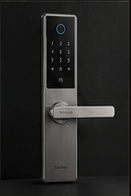
The image slot is reserved for product structure, door condition, material, installation, OEM or quality evidence related to this guide.
Supporting Evidence
Connect the Written Checklist to the Real Product or Door
Use the selected model, representative door and available documents together. Avoid treating a generic image, one feature name or one test value as a complete purchasing decision.
- Keep the candidate model and configuration visible.
- Use labeled photos or drawings instead of loose descriptions.
- Record uncertain items for confirmation before quotation.
- Retain the approved evidence for sample and production review.
Decision Table
What the Sample Should Prove
Use the table to compare options on the same physical, operational and evidence basis.
| Review area | Check on arrival | Record before approval | Bulk-order implication |
|---|---|---|---|
| Physical fit | Panel size, spindle, mortise and screw positions. | Door measurements and installed photos. | Locks the approved hardware combination. |
| Surface finish | Color, texture, edge treatment and visible marks. | Controlled-light photos and approved color reference. | Defines finish expectation and packaging protection. |
| Electronics | Enrollment, unlock methods, alerts and backup power. | Firmware/app configuration and test result. | Prevents function-package drift. |
| Packing set | Accessories, labels, manuals and protective materials. | Complete packing list and images. | Becomes the packing approval baseline. |
Buyer Process
From Sample Request to Approval
Move from site or project evidence to a documented model and supply decision.
Write the specific fit, function, finish and document decisions the sample must answer.
List model, color, lock body, app, language, accessories and branding status.
Test on the actual or accurately simulated door condition.
Separate product defects from door mismatch, setup error or requested customization.
Keep photos, configuration and change notes as the golden-sample record.
Evidence Boundaries
What This Guide Should Not Be Used to Assume
These cautions keep material, technology, installation and report language tied to the selected model and real site.
Confirm whether branding, packaging, manuals and accessories are standard or temporary.
Install on a representative door before approving mechanical compatibility.
Test enrollment, repeated access, low power, backup access and user management.
Related Guidance
Continue With Related Product and Project Guidance
Review related guides, product information and support options to close the remaining technical and purchasing questions.
Buyer FAQ
Questions Buyers Ask Before Confirmation
Answers stay cautious where model, market, door or final configuration can change the result.
Can I order an unbranded sample first?
Yes, when available, but record which OEM elements are excluded so the sample is not mistaken for the final supply scope.
Should I test the sample outdoors?
Only if the selected model is intended for that exposure. Reproduce rain, shelter and temperature conditions responsibly and request model-specific evidence.
What is a golden sample?
It is the approved reference configuration, supported by photos and written records, used to compare future production.
Ready to Confirm?
Make the sample answer the bulk-order questions.
Send the intended door, configuration and approval checklist so the sample can be prepared around a clear validation purpose.
Inquiry Preparation
Turn this guide into a clear supplier inquiry.
Summarize the relevant facts in your RFQ, attach supporting files, and request confirmation for the selected model.
Include application, door data, model preference, quantity, market and the exact document or evidence requested.
Door photos, measurements, drawings, sample records and artwork files reduce back-and-forth.
If the article mentions a report, certification, IP rating or test, request availability for the exact SKU.
| Decision area | Confirm before quotation | Claim boundary |
|---|---|---|
| Inquiry line | We are reviewing Smart Lock Sample Order Checklist; please confirm the suitable SivoLock model route. | Gives the supplier a clear, answerable request. |
| Required inputs | Door/application details, target market, quantity, sample timing and preferred functions. | Provides the technical and commercial context needed for a useful response. |
| Evidence request | Datasheet, installation guide, report availability, sample photos or approval files as relevant. | Keeps requested documents tied to the selected model. |
| Follow-up | Continue with the relevant product, material or support information after listing the open questions. | Keeps unresolved requirements visible for supplier confirmation. |
Can this guide replace a final datasheet?
No. Use it to prepare the buying conversation, then confirm selected-model values, reports and packaging details from the latest SivoLock response.
What happens when a value is not available yet?
Leave it open and mark it as configuration-dependent. Do not turn missing certification, IP, factory or test evidence into a public claim.
Send the confirmed inputs and keep any missing proof as an open request. SivoLock can respond with model-specific options, document availability and quotation questions.